Next Action
The Next Action window allows you to
- Customize the actions performed by pdfMachine after the creation of a PDF
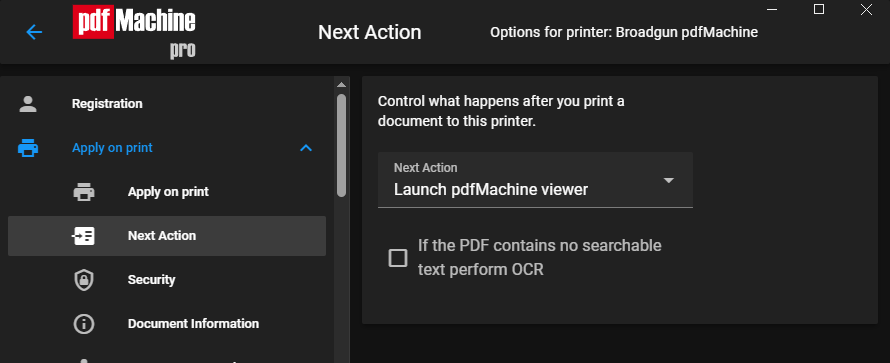
Next Action
These options allow you to customize what actions pdfMachine takes after it creates a PDF.
If AI file naming is enabled for the printer, the PDF is renamed after its first page before the next action runs, so the action sees the new name.
| Next Action | Controls what happens after the PDF file has been generated.
|
||||||||||||||||
| Exec. Command | When "NextAction" is equal to "Execute the command line", this is the command that
is executed. The command may contain a string such as "%s" which will be substituted with the full path of the generated PDF file. e.g. ExecCmd = c:\winnt\notepad.exe "%s" This would launch the notepad.exe program upon completion of file generation. The notepad program would open the PDF file. |